

Halfway through a football game, the team doesn’t just keep running the same plan — they go to the locker room, review the first half, and adjust. Checkpoint is your halftime, available in every appointment, as many times as you want.
What it does
While recording, swipe Slide to Checkpoint at any natural break (click-by-click walkthrough). Craft analyzes the conversation so far and hands you:
- A summary of everything discussed
- A personality read: how this customer communicates and likes to decide
- Likely objections, before they’ve been raised
The recording keeps running the whole time. Swipe once or five times; each Checkpoint covers everything up to that moment.
When to swipe
- Before you present pricing. This is the big one. Walk into the money conversation knowing the likely objection and how this customer wants to hear numbers.
- When the customer steps away. A two-minute break is enough to check the plan.
- When something feels off. If the energy changed and you’re not sure why, the summary usually shows you the moment it turned.
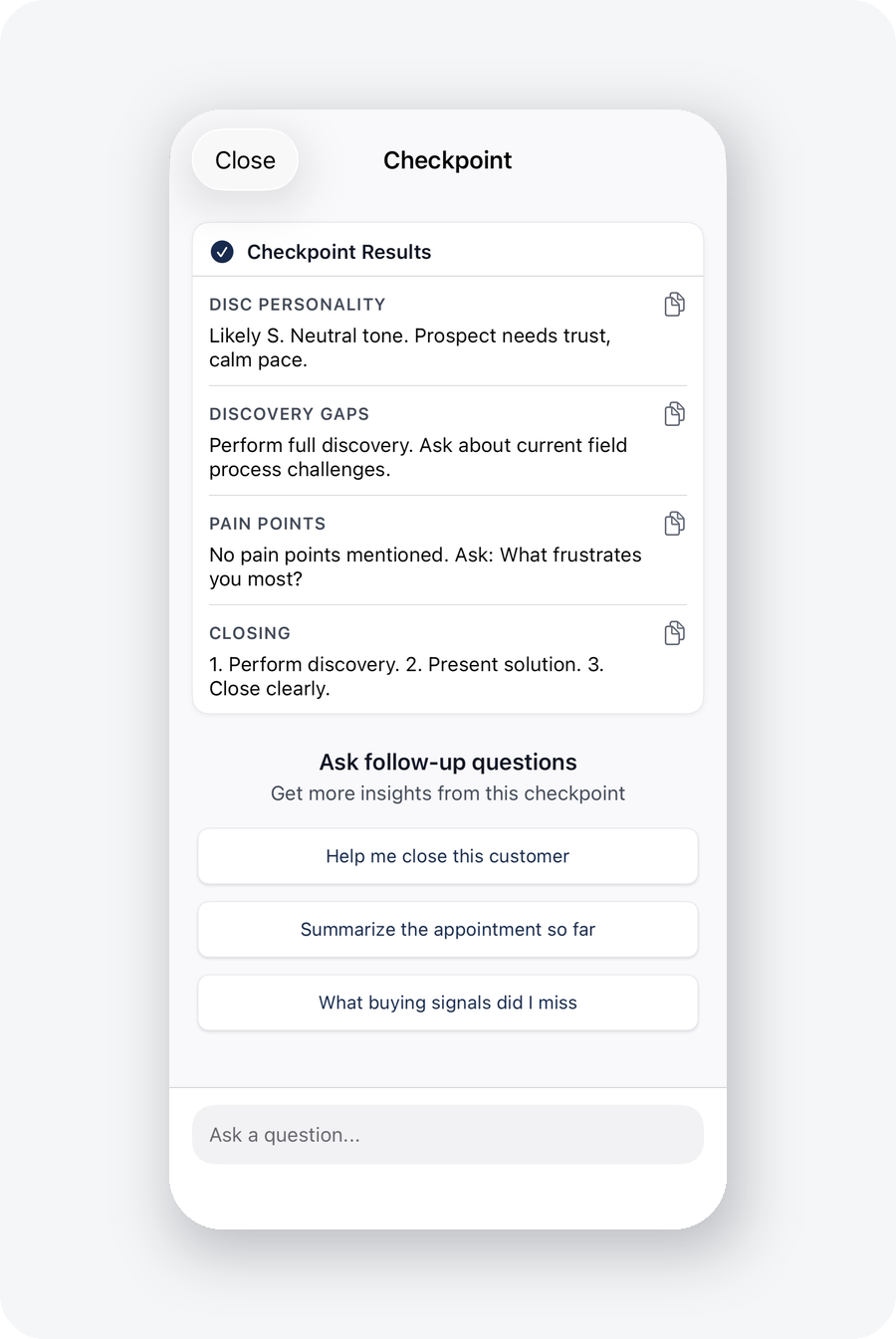
Ask it questions
Checkpoint answers questions about the conversation: “What was the dog’s name?” “What did the husband say about their timeline?” “What did she mention about the last company they used?”
The details from minute three are your rapport ammunition at minute forty. You don’t have to hold them in your head anymore.
Why this changes the game
Handling an objection well is good. Anticipating an objection and addressing it before it’s raised is creative selling — it’s what the best reps do instinctively, and Checkpoint gives you the same read. When the objection never comes up because you already answered it, that’s the skill working.
Do this today
On your next appointment, swipe Checkpoint once before presenting price. Read the likely objections, and address the top one in your presentation before the customer says it.